|
To delete a user:
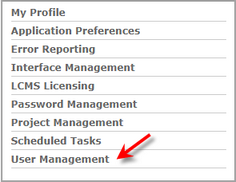
| 1. | Click the User Management link on the LCMS Home screen to open the User Management screen. |
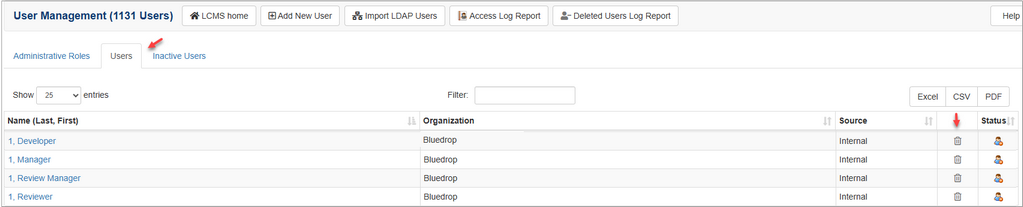
| 2. | On the User Management screen, click the Users tab or Inactive Users tab to display the associated User list. |
| 2. | On the User list, click the delete icon beside the desired user to open the Delete User window. |
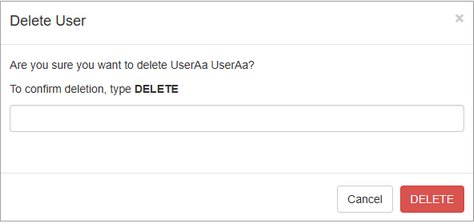
| 4. | On the Delete User window, type DELETE in the text field to confirm the deletion. |
| 5. | Click the Delete button to delete the user or the Cancel button to return to the previous screen. Note: On the User Management screen, click the Deleted Users Log Report button to view a report of all deleted users. |
|


