|
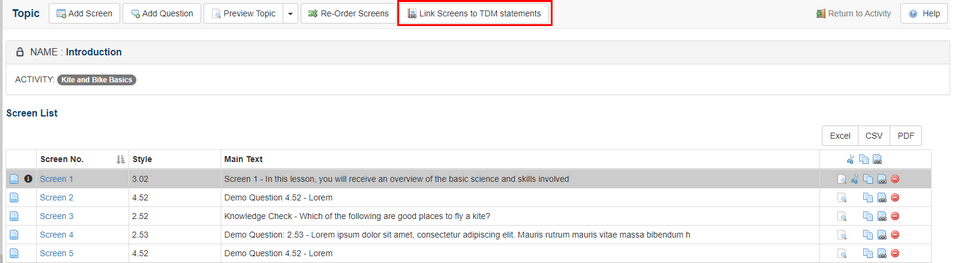
If a training document from TDM has been associated with a specific LCMS activity, the Link Screens to TDM Statements button is available at the top of the topic list screens.
| 1. | Click the Link Screens to TDM Statements button to access the objective statements. |
| 2. | Click the checkbox for each statement in the drop-down list that you wish to associate to the selected screen. Note: You will only be able to link to statements below the course level statement selected for the Activity (i.e. If the Activity is linked to a course level 2 statement, you will be able to link to course level 3 and/or course level 4 statements. |
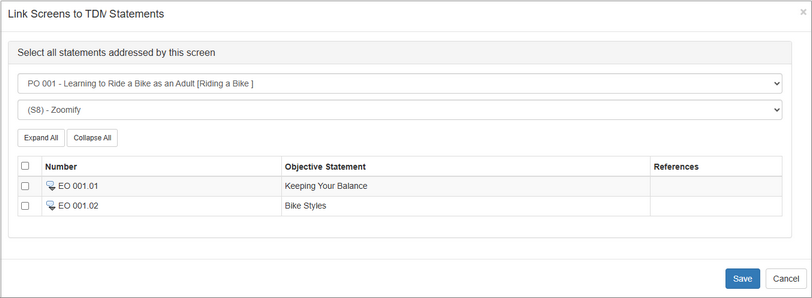
| 3. | Click the Save button to save the selection(s). |
|


