| 1. | On the LCMS Home screen, click the Role Management link to open the Role Management screen. |
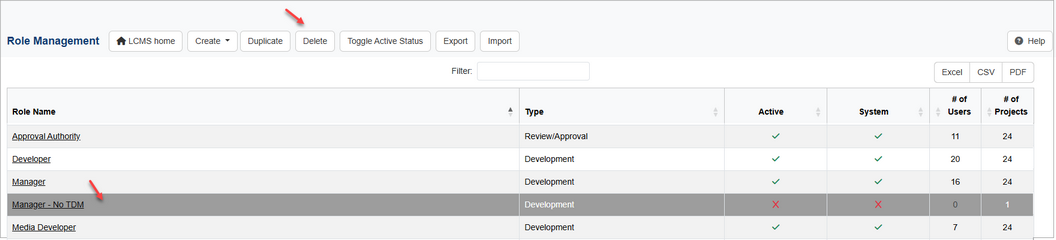
| 2. | On the Role Management screen, click the row for the desired role to delete. Ctrl+click to select multiple roles to delete. |
| 3. | Click the Delete button to open the Delete Role(s) window. |
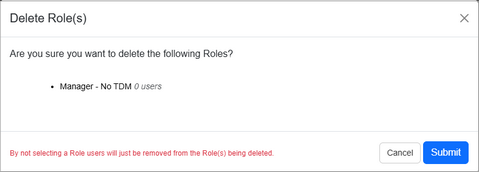
| 4. | On the Delete Role(s) window, click the Submit button to delete the desired role or click the Cancel button to return to the previous screen. |
|


