|
The Toggle Active Status function is used to manage roles from project to project. For example, a role created for a specific project may not be required in another project. Any role that is not required in a project can be toggled to inactive for that project.
| 1. | On the LCMS Home screen, click the Role Management link to open the Role Management screen. |
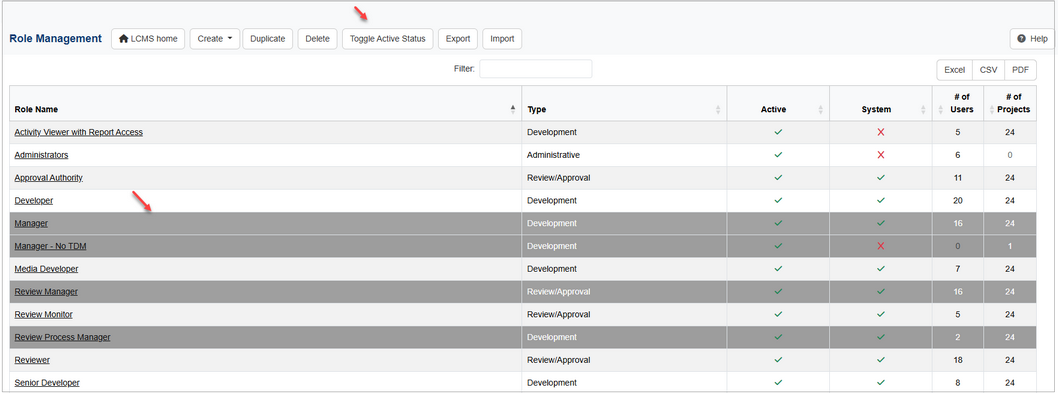
| 2. | On the Role Management screen, click the row for the desired role to toggle active or inactive. Ctrl+click to select multiple roles to toggle. |
| 3. | Click the Toggle Active Status button to open the Toggle Role(s) Active Status window. |
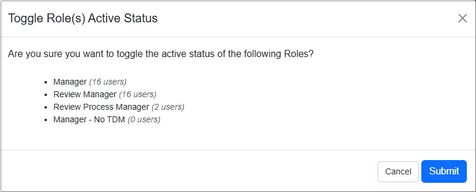
| 4. | On the Toggle Role(s) Active Status window, click the Submit button to toggle the active status for the desired role or click the Cancel button to return to the previous screen. Note: Roles that were active will become inactive and vice versa. |
|


