| 1. | On the LCMS Home screen, click the Application Preferences link to open the Application Preferences screen. |
| 2. | On the Application Preferences screen, click the Encryption tab from the Components menu to open the Encryption pane. |
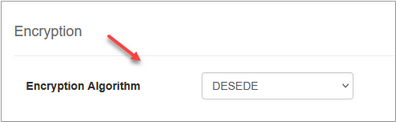
| 3. | On the Encryption pane, select the desired encryption algorithm from the Encryption Algorithm drop-down menu. The DESEDE option will display in the drop-down menu if the LCMS is currently using the DESEDE encryption. If a higher standard of encryption is required, select the Advanced Encryption Standard (AES) option. This option is Federal Information Processing Standard (FIPS) 140 compliant. Note: When the LCMS encryption algorithm is upgraded to AES, the DESEDE option is no longer available. |
| 4. | Click the  button to save the changes or click the button to save the changes or click the  button to return to the previous screen without saving. button to return to the previous screen without saving. |
|


