|
The Export function is used to create an export (.xml) of the desired roles with their associated permission. The export can than be imported into another installation of the LCMS.
| 1. | On the LCMS Home screen, click the Role Management link to open the Role Management screen. |
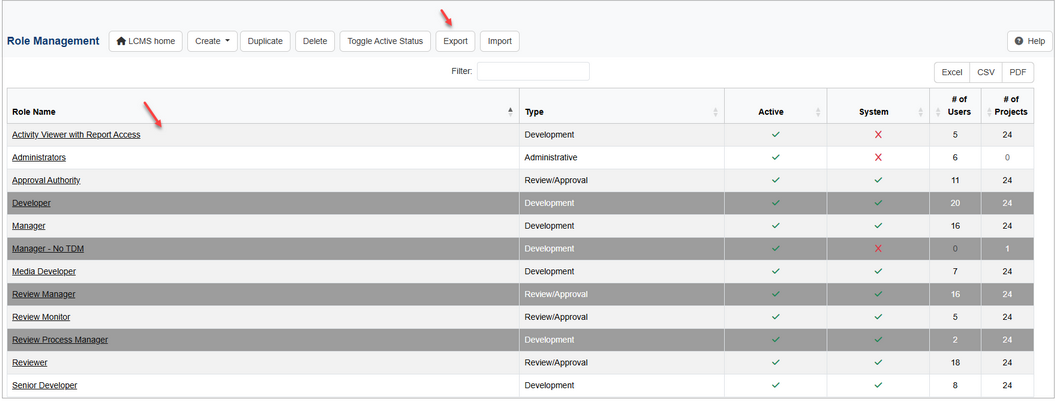
| 2. | On the Role Management screen, click the row for the desired role to export. Ctrl+click to select multiple roles to export. |
| 3. | Click the Export button to open the Export Role(s) window. |
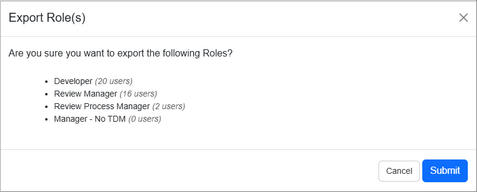
| 4. | On the Export Role(s) window, click the Submit button to include the desired roles in the export or click the Cancel button to return to the previous screen. |
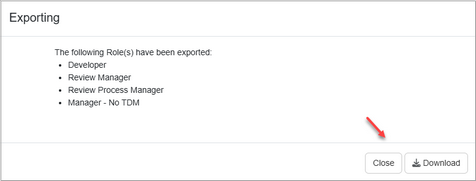
| 5. | On the Exporting window, click the Download button to download the file (.xml) or click the Close button to close the window. Note: The downloaded file may be renamed and saved as required. |
|


