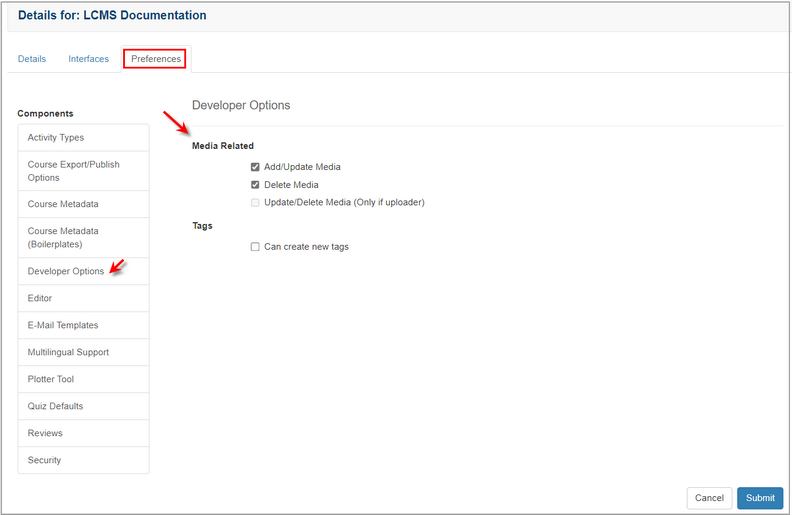
| 1. | On the Preferences tab, click the Developer Options tab from the Components menu. |
| 2. | On the Developer Options Media Related pane, click the Update/Delete Media (Only if uploader) checkbox to grant developers the permission to perform the corresponding task on the desired project. |
| 3. | On the Developer Options Tags pane, click the Can create new tags checkbox to grant developers the permission to add new tags. Note: When the checkbox is selected, developers may add, select and deselect tags. When the checkbox is left unchecked, developers will only be able to select or deselect tags. |
| 4. | Click the  button to save the changes and return to the previous screen or click the button to save the changes and return to the previous screen or click the  button to return to the previous screen without saving. button to return to the previous screen without saving. |
|


